PDF User Guide
Use the operating method while preparing, challenging and updating the case.

Free Download · AI Restructuring Stress Test Execution Pack
Use the Word analysis, one-page PowerPoint executive summary and User Guide to analyse, challenge and document a live AI-backed structural capacity decision.
Explore the Execution Pack:
One working pack
Each artifact has a different job. The Guide supports the work, Word preserves the authoritative analysis, and PowerPoint publishes the decision-relevant conclusions from a defined Word version.
Use the operating method while preparing, challenging and updating the case.
Build the detailed analytical case and preserve the evidence, reasoning, recommendation and decision record.
Analytical source of truthPublish the decision-relevant executive subset from the decision-ready Word analysis.
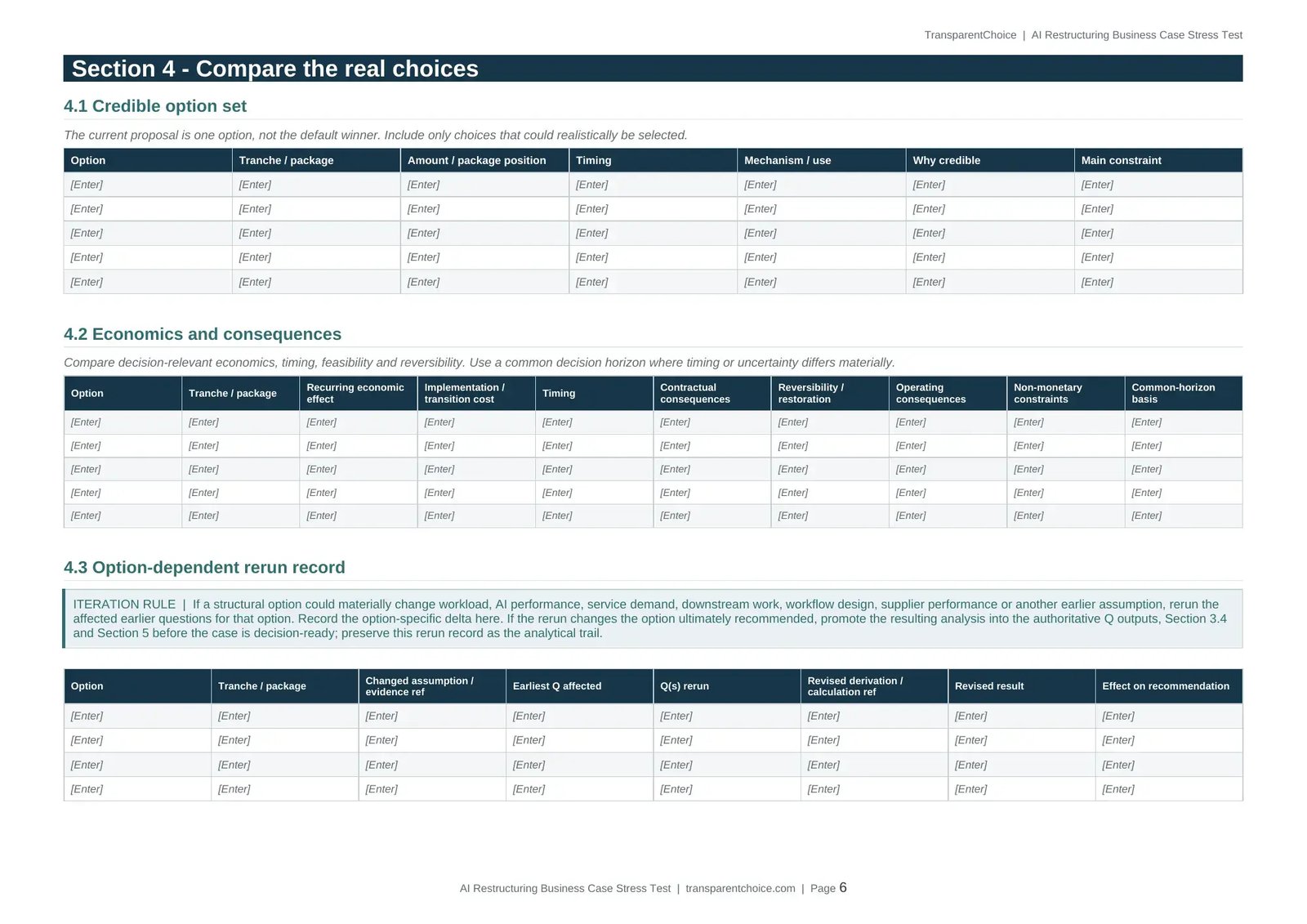
Detailed Decision Analysis
Word is the sole analytical source of truth for the live case.
Define exactly what leadership is being asked to decide. Register the evidence, assumptions and unresolved gaps. Work through the evidence-to-capacity case, compare credible structural choices and record material sensitivity or option-dependent reruns.
Then synthesise the supported result, formal status, recommendation, operating guardrails, conditions and change triggers in one controlled analytical record.
Executive Decision Summary
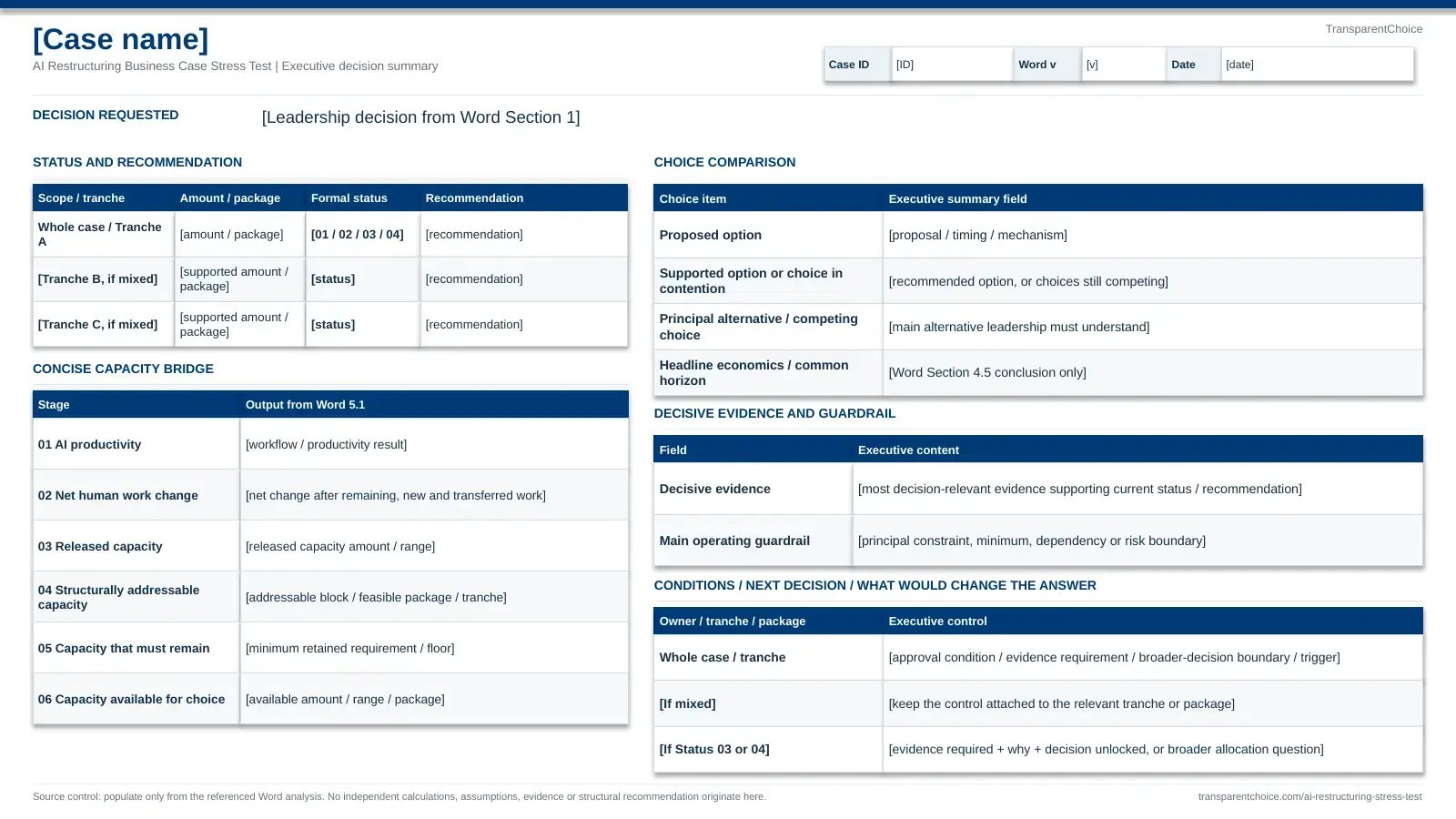
The PowerPoint is a one-page, version-linked executive view derived from the decision-ready Word analysis.
It brings together the decision requested, supported amount or package, formal status and recommendation, concise capacity bridge, choice comparison, headline economics, decisive evidence, operating guardrail and the next condition, evidence requirement or change trigger leadership needs to understand.
User Guide
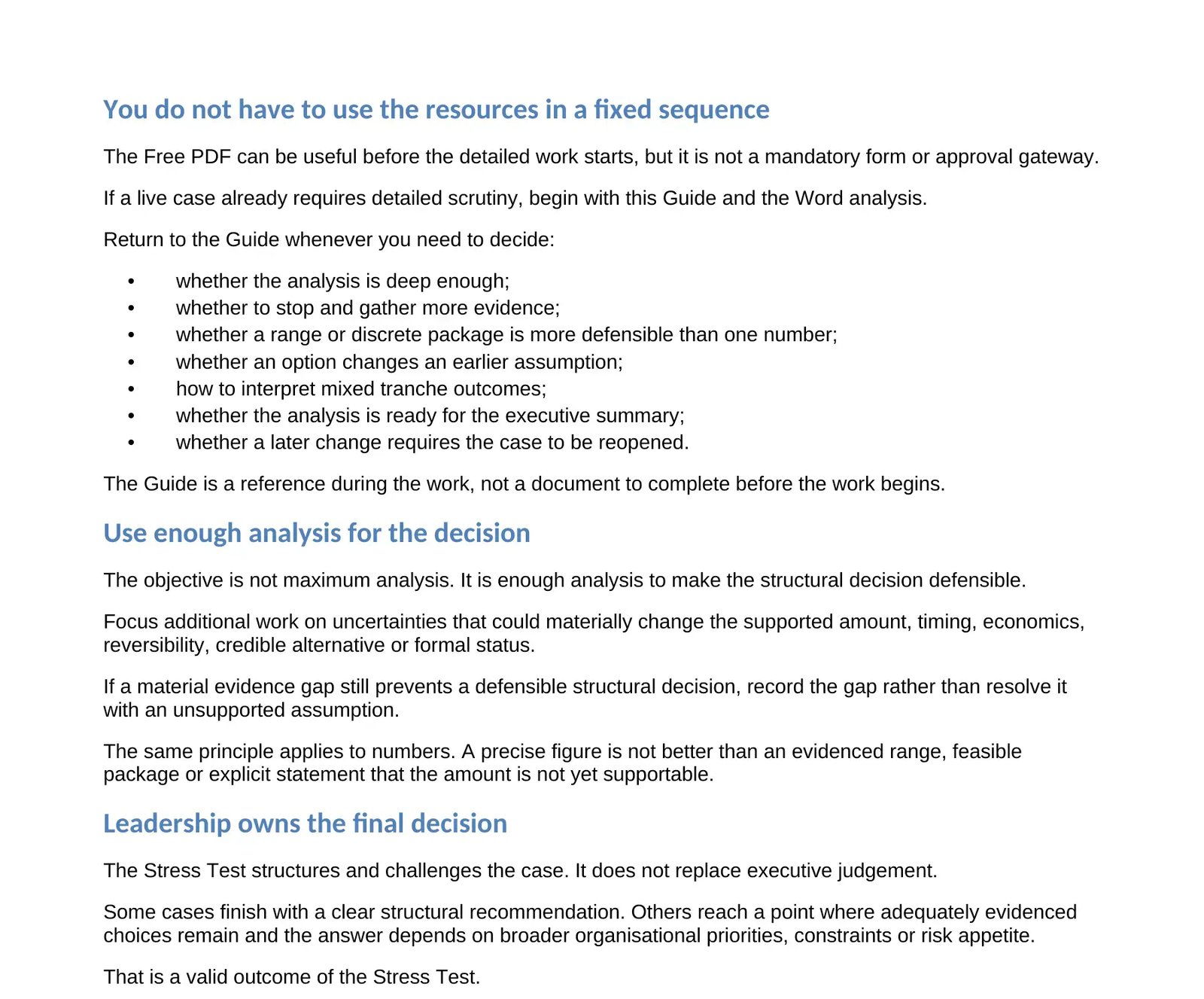
The Guide explains how to operate the Execution Pack correctly. It is not another case record and it is not a form to complete before beginning the analysis.
Return to it when you need to judge whether the analysis is deep enough, whether to stop and gather more evidence, whether a range or discrete package is more defensible than one number, whether an option requires an earlier question to be rerun, or whether the case is ready for executive publication.
Optional companion tools
The One-Page Stress Test is a rapid diagnostic. The two LLM tools are prompts for use in your own general-purpose LLM. Open the prompt, copy it into a chat, then provide the case material described below. Word remains the source of truth.
Use the one-page diagnostic to identify what must be established before an AI-backed structural decision is ready for detailed analysis or approval.
Diagnostic only. It does not calculate the right capacity number, document the live case or constitute approval.
Open the One-Page Stress Test PDFOpen the text file and copy the full prompt into a new chat in your preferred LLM. Then provide the current Word template or active case, the User Guide and the evidence relevant to the decision.
Use it to work through the evidence, identify gaps and build the case. The assistant checks that the required pack resources are present. Word remains the authoritative analytical record.
Open prompt (text file)Open the text file and copy the full prompt into a fresh chat in your preferred LLM. Then provide the completed Word analysis, the underlying evidence and the User Guide.
Use it to test whether the recorded result can actually be defended from the evidence supplied. This is challenge review, not independent assurance. Material findings return to Word for correction or reopening.
Open prompt (text file)What the pack does
The Execution Pack gives the live case a traceable path from evidence and assumptions through analysis, recommendation and leadership decision.
TransparentChoice supports the decision. Leadership owns the final decision.
Working on a live case?
Download the Word analysis, PowerPoint executive summary and User Guide in one Execution Pack.